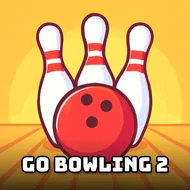
Go Bowling 2
Instructions:
mouseDescription
Go Bowling 2 Player Reviews and Tips
Score-Boosting Tactics
- Watch the arrows on the lane before you drag your mouse, they tell you way more about your angle than just eyeballing the pins.
- Slow, steady mouse movement gives you a cleaner release than a frantic swipe, so don't rush the shot just because the ball's waiting.
- Aim slightly left or right of dead center for your first ball, a straight shot down the middle often leaves those stubborn corner pins standing.
- Save your power for the second throw, a controlled spare attempt beats a wild strike swing every single time.
- Pay attention to how the pins scatter, it actually tells you where your spin was drifting and helps you correct the next frame.
Nobody's calling this a brutal test of reflexes, but it's not a total pushover either. The mouse-only control scheme keeps things approachable for a quick round, yet nailing consistent strikes takes a surprising amount of touch once the lane conditions start throwing curveballs at your usual angle. There's no dense storyline weighing things down here, no cutscenes or characters to keep track of, just you, the alley, and ten frames standing between you and bragging rights. That simplicity is kind of the point, honestly.
Why You Should Play
- One mouse, one lane, zero setup time, it loads fast and gets you rolling within seconds.
- Runs right in the browser through HTML5, so there's nothing to install and no waiting around.
- Mobile-friendly design means a spare five minutes on your phone is enough for a full game.
- Single-player pacing lets you take it slow, retry a frame in your head, or just blitz through ten rounds on a whim.
- Bowling without the shoe rental, the sticky snack bar, or waiting for a lane to open up, that alone is worth something.
- Easy enough for a casual player to pick up, but the scoring system still rewards anyone chasing that perfect game.